Dayframe

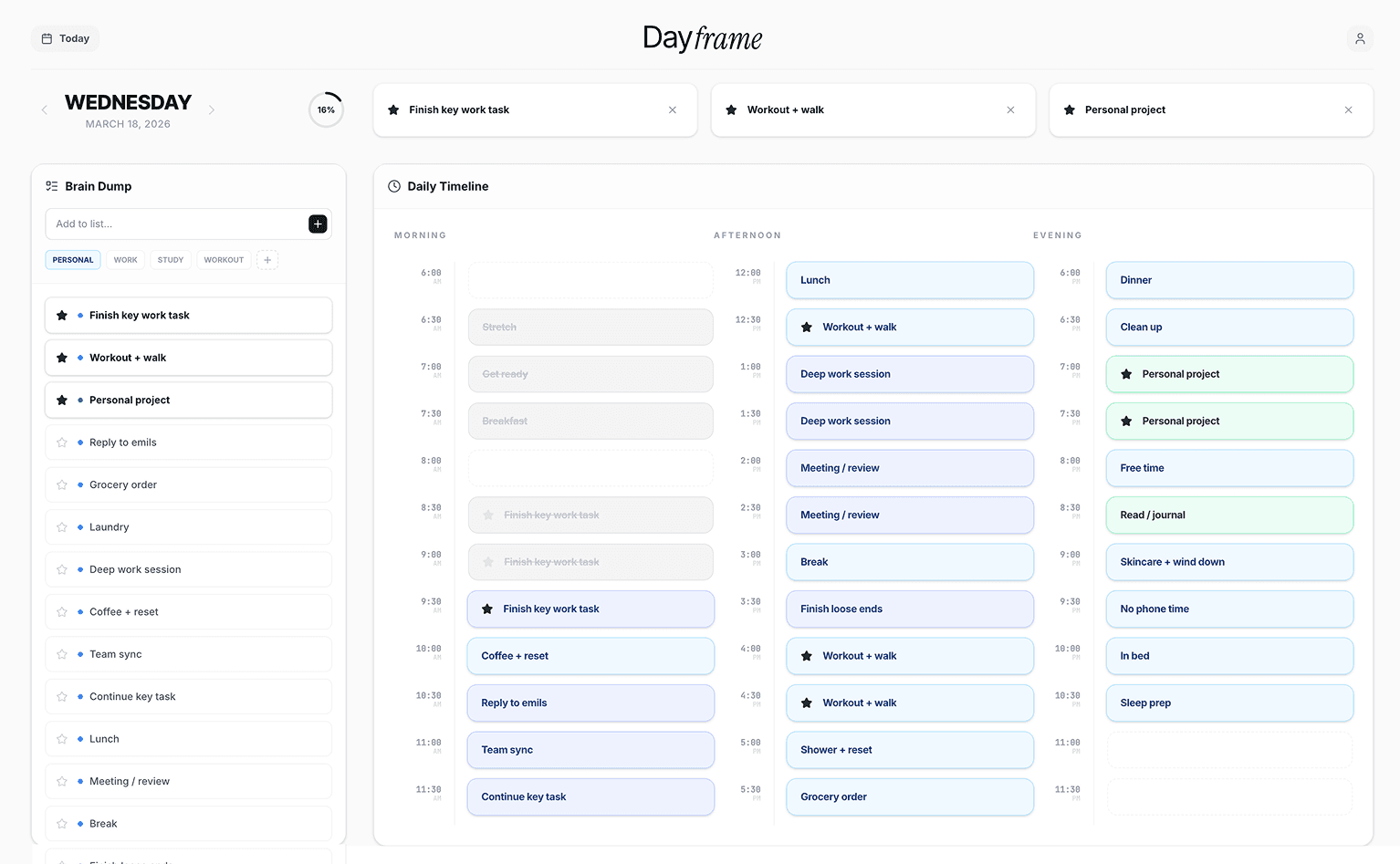
Dayframe presents the entire day in 30-minute blocks on a single screen. I led it end-to-end using an AI-native workflow (Figma MCP and Cursor) to take it from concept to a live, deployed product.

DELIVERABLES

Web App

duration

2 Days

Role

UIUX / Develope

focus

Product building 0 to 1, AI native, process automation

Background
Planning by list keeps everything urgent

For a long time, I planned my days through lists. Everything looked equally important, but none of it was connected to the limited hours of an actual day. I would keep adding tasks without knowing where they would fit, then end the day feeling behind even when I had done plenty


apploach
30 minute blocks and entire day as a canvas

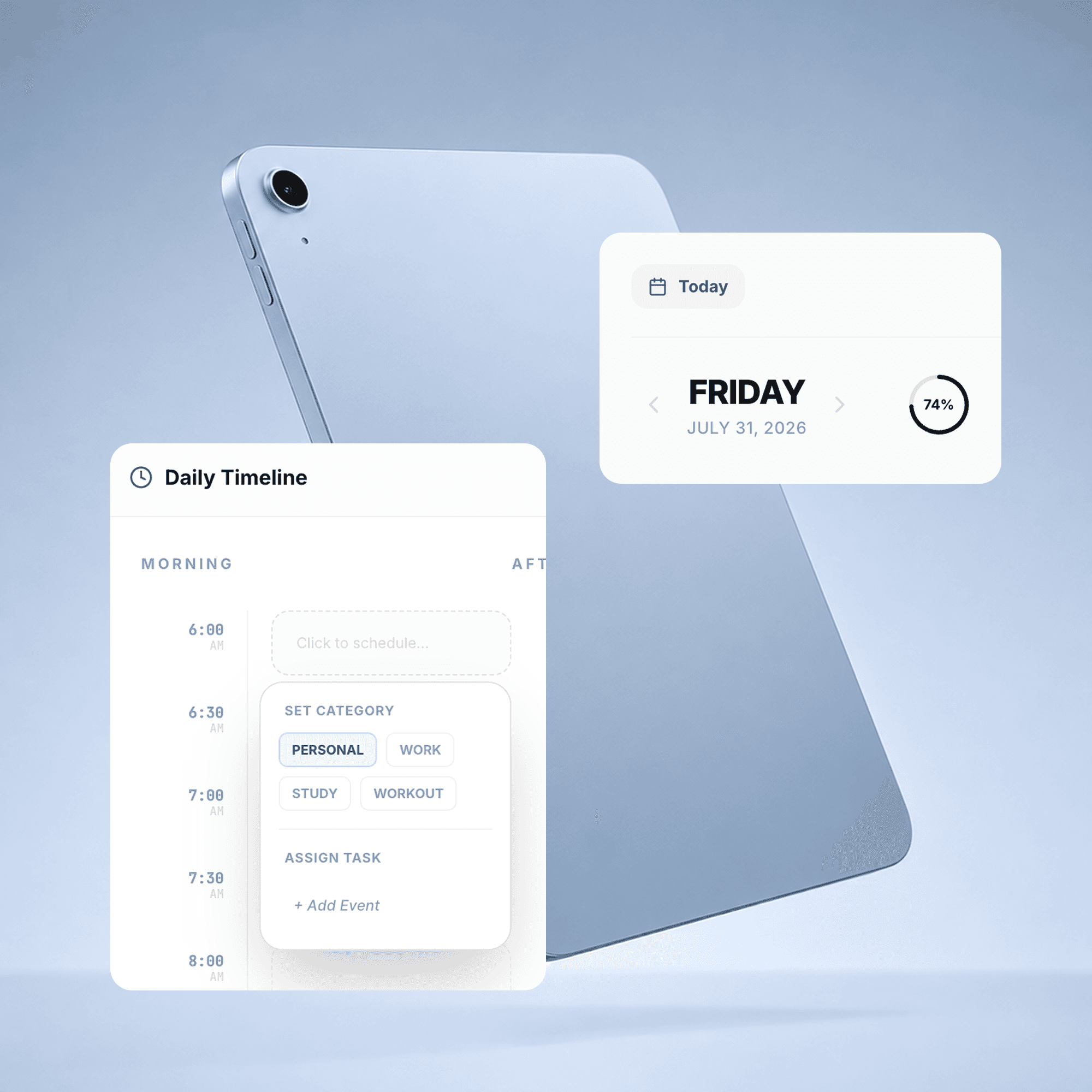
I started experimenting with a simpler routine. Every morning, I would brain-dump everything onto a page and place each item into a 30-minute block. The habit changed the way I planned. I could see what one day could realistically hold, notice when I was overcommitting, and make room for the parts of life that were not traditionally considered productive like a meal, a shower, exercise, rest, or reading.

The goal was not to create a perfect task list. It was to draw a day I would actually want to live and be able to see it. Dayframe is my routine turned into a product.

PROBLEM
What I'd already tried

I explored several existing ways to plan my day, but each introduced a different kind of friction.

  • Paper planners are too heavy to carry everywhere.

  • A DIY iPad planner demands constant upkeep.

  • Technical planners are powerful, but so feature-heavy they added pressure instead of helping me see my day simply and let go of the rush.


A pattern beyond my own experience

The frustration is well documented. Productivity tools keep piling on features until they overwhelm the people using them. One writer put it plainly: "a complex app only adds to the cognitive load." Over-crowded, rigid planners get abandoned, leaving people feeling they're always behind. And the common advice for a realistic day? Plan for only about 70–80% of your time.

Sources: XDA · EditorialGE · FlowSavvy · Clear Mind Concepts

People did not necessarily need more ways to organize tasks. They needed a clearer sense of what their time could realistically hold. This shifted the problem from 'How might I help people manage more tasks?' to 'How might I help people design a day they can actually live?'


The product
Capture first. Schedule second. See the entire day.

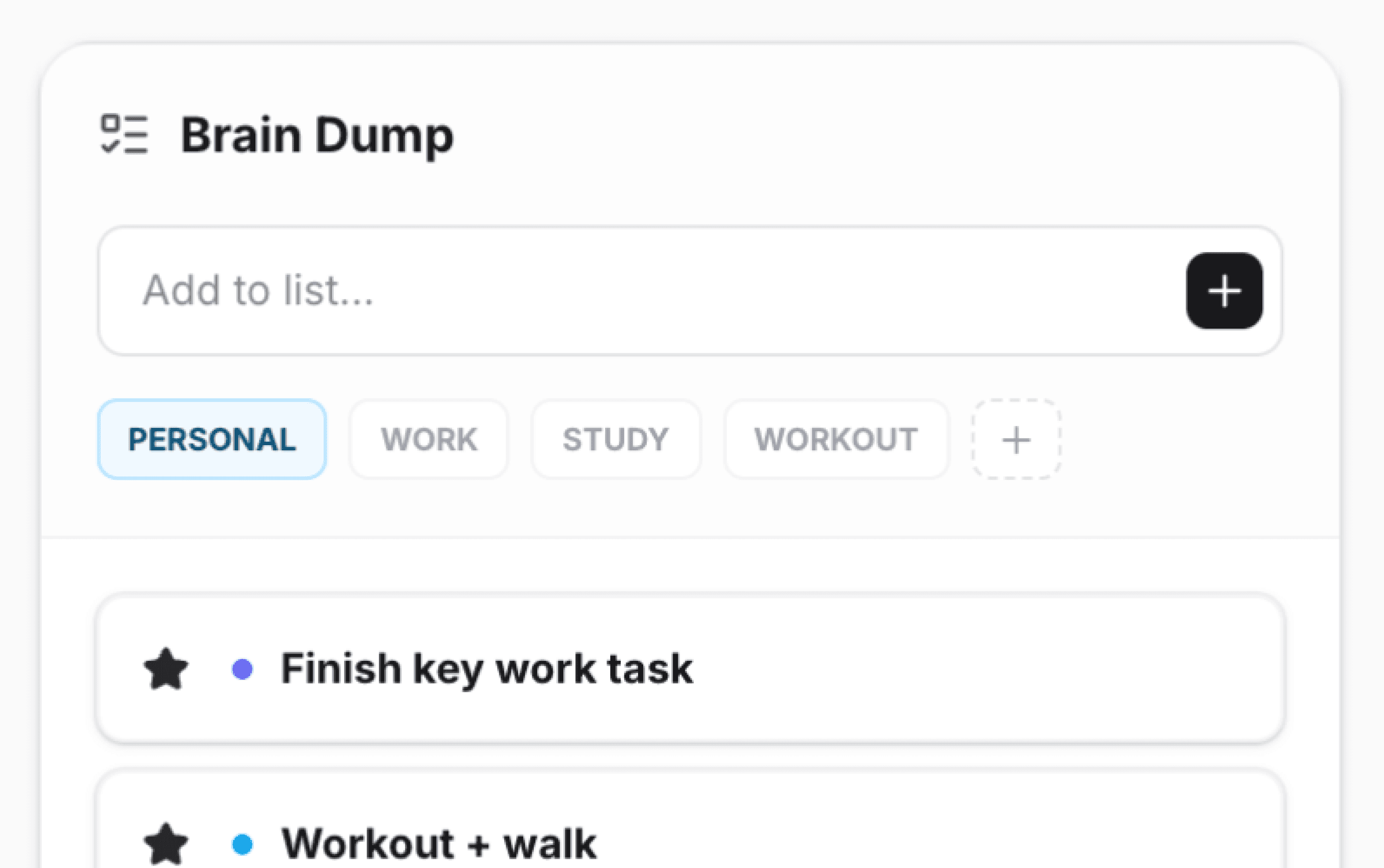
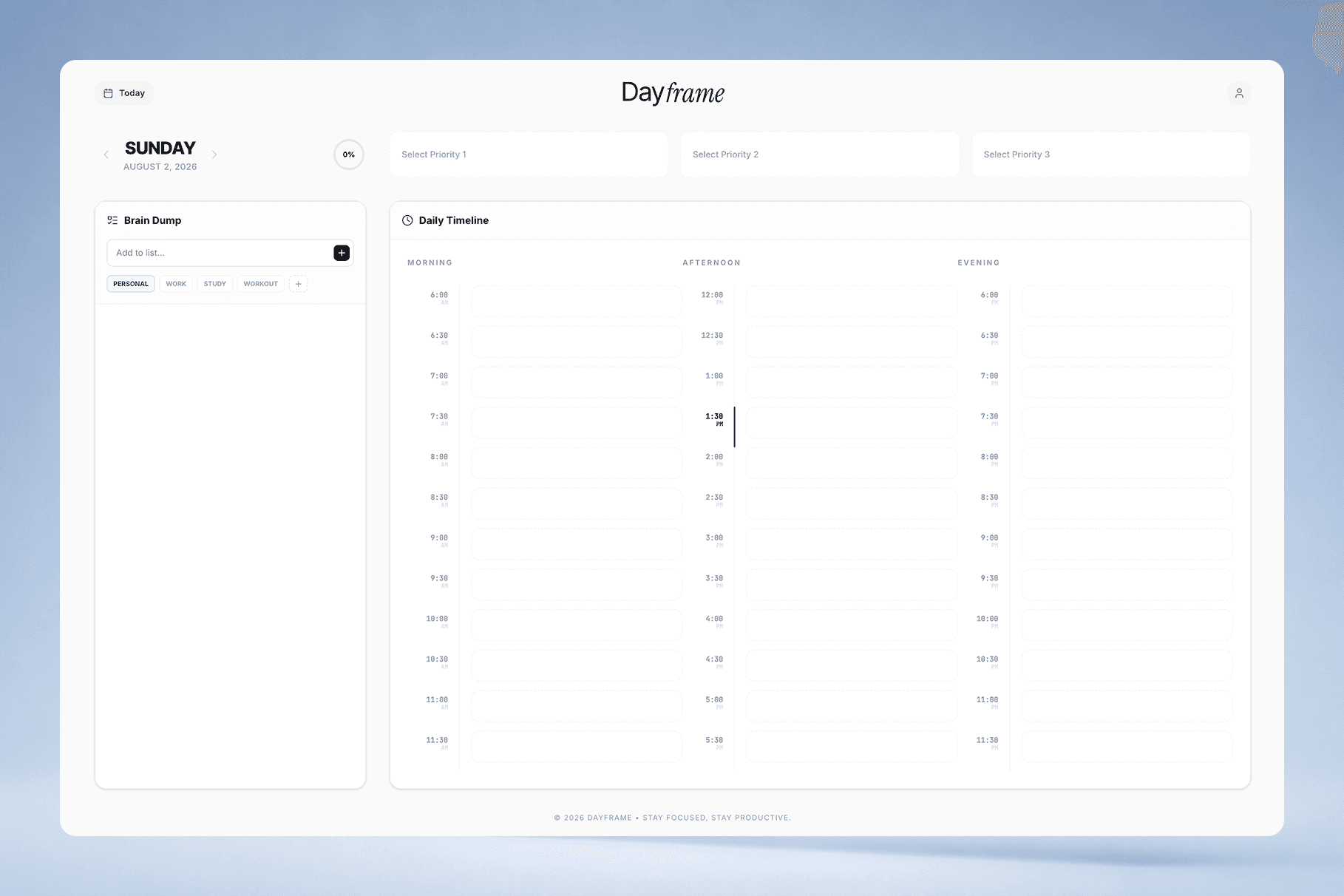
Dayframe is built around one simple routine: First, write down everything without deciding when it will happen. Then place each item into a 30-minute block. Morning, afternoon, and evening remain visible together, making it easier to understand the balance and capacity of the whole day. It is not a tidy list of everything you should do. It is a day you can see before you live it.


PROBLEM
What I'd already tried

I explored several existing ways to plan my day, but each introduced a different kind of friction.

  • Paper planners are too heavy to carry everywhere.

  • A DIY iPad planner demands constant upkeep.

  • Technical planners are powerful, but so feature-heavy they added pressure instead of helping me see my day simply and let go of the rush.


A pattern beyond my own experience

The frustration is well documented. Productivity tools keep piling on features until they overwhelm the people using them. One writer put it plainly: "a complex app only adds to the cognitive load." Over-crowded, rigid planners get abandoned, leaving people feeling they're always behind. And the common advice for a realistic day? Plan for only about 70–80% of your time.

Sources: XDA · EditorialGE · FlowSavvy · Clear Mind Concepts

People did not necessarily need more ways to organize tasks. They needed a clearer sense of what their time could realistically hold. This shifted the problem from 'How might I help people manage more tasks?' to 'How might I help people design a day they can actually live?'

Shared ownership

Compliance-driven

Risk-averse, not tech-forward


The product
Capture first. Schedule second. See the entire day.

Dayframe is built around one simple routine: First, write down everything without deciding when it will happen. Then place each item into a 30-minute block. Morning, afternoon, and evening remain visible together, making it easier to understand the balance and capacity of the whole day. It is not a tidy list of everything you should do. It is a day you can see before you live it.


01

Brain Dump, then schedule

02

Your day on one screen

03

Colours you define

The marketing site
From Figma design to a live growth system

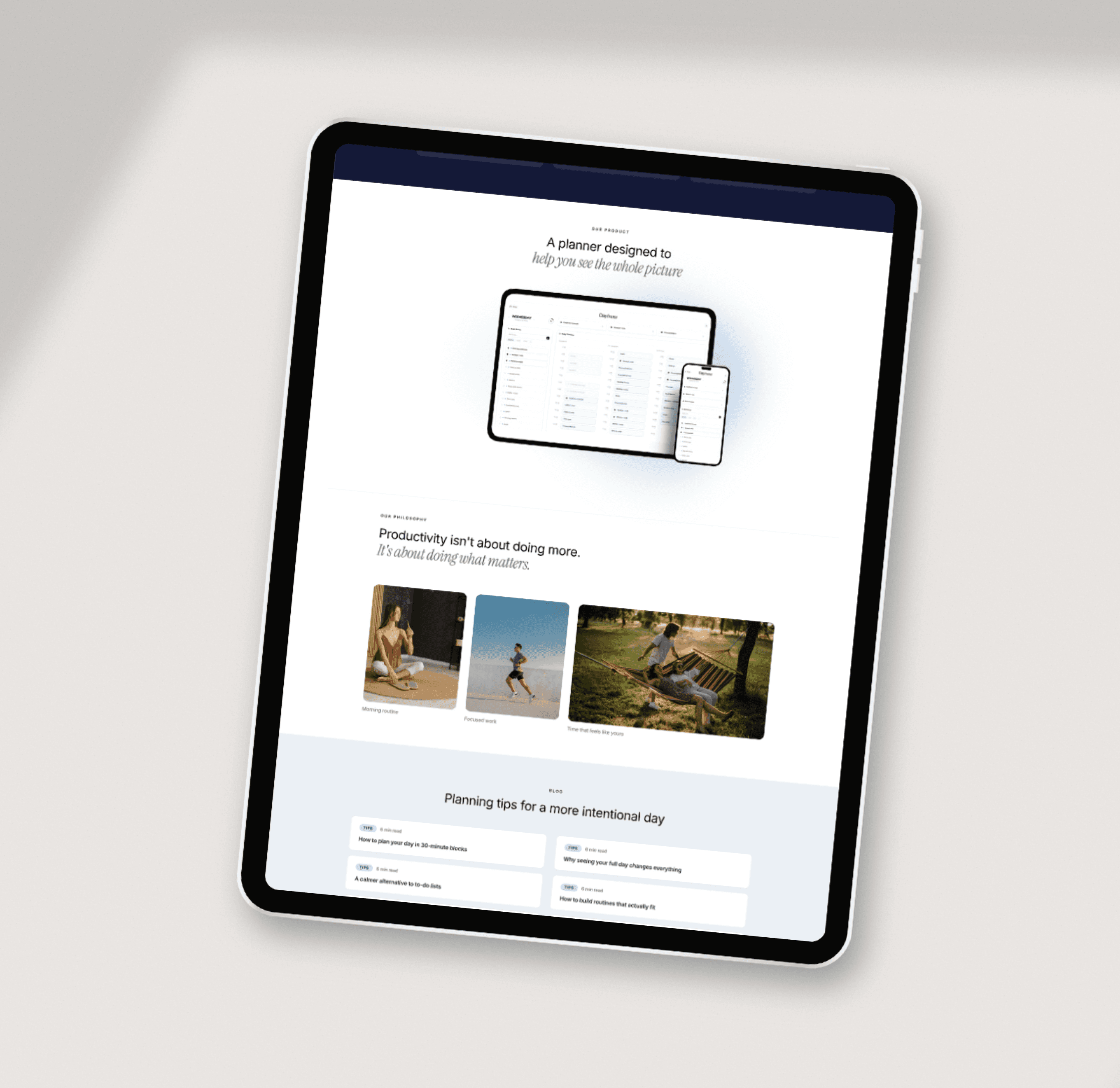
I designed the Dayframe marketing site in Figma and used it to explore a more direct design-to-production workflow. Unlike the product application, which was refined directly through code and daily use, the marketing site began as a complete visual design in Figma. I defined the page structure, typography, spacing, responsive behaviour, and editorial direction before bringing the design into the development environment through Figma MCP. Through this experiment, I wanted to test how much of the original design system and visual intention could remain intact as the work moved from Figma into a live product.

How I built it
Dayframe also demonstrates an AI-native design-to-deployment workflow, which I ran end-to-end from Figma through to a live product.

(1)

Figma MCP

Designed the interface in Figma and brought it directly into code through the MCP server.

(2)

(3)

Process
Automation for production, human judgement for publishing

I also built an automated content pipeline for the Dayframe blog. The workflow supports content research, drafting, formatting, image preparation, and publishing setup. Automation handles the repetitive production steps, while human review remains the final gate before any article is published.

This separation was intentional. AI can accelerate content operations, but product positioning, factual accuracy, tone, and editorial quality still require human judgement. The resulting system allows the blog to grow more efficiently without giving up control over what becomes part of the Dayframe brand.

01

Cursor drafts a post

generate

An automated Cursor job drafts a new article.

02

Slack review

Review + human in the loop

The draft is sent to me in Slack for review and approval

03

Automated deploy

ship

Once approved, it publishes and deploys automatically.

Process
Automation for production, human judgement for publishing

I also built an automated content pipeline for the Dayframe blog. The workflow supports content research, drafting, formatting, image preparation, and publishing setup. Automation handles the repetitive production steps, while human review remains the final gate before any article is published.

This separation was intentional. AI can accelerate content operations, but product positioning, factual accuracy, tone, and editorial quality still require human judgement. The resulting system allows the blog to grow more efficiently without giving up control over what becomes part of the Dayframe brand.

How I built it
Dayframe also demonstrates an AI-native design-to-deployment workflow, which I ran end-to-end from Figma through to a live product.

(1)

Figma MCP

Designed the interface in Figma and brought it directly into code through the MCP server.

(2)

(3)

01

Brain Dump, then schedule

02

Your day on one screen

03

Colours you define